Plugins in WordPress are used to create a perfect website. A lot of plugins are available in WordPress that are used for various types of designing. There are thousands of plugins available, covering various categories, from SEO and security to e-commerce and social media integration.
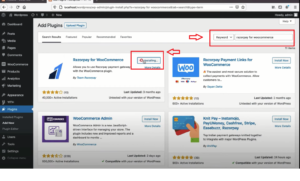
Common types of WordPress plugins:
SEO Plugins: These plugins help optimize the website for search engines, improving its visibility and ranking in search results. Popular examples include Yoast SEO and All in One SEO Pack.
Security Plugins: Security plugins protect the website from potential threats, such as malware, brute-force attacks, and unauthorized access. Wordfence Security and Sucuri Security are popular choices.
Contact Form Plugins: These plugins allow website owners to create and manage contact forms, making it easy for visitors to get in touch. Contact Form 7 and WPForms are widely used options.
Performance Optimization Plugins: These plugins help improve the website’s loading speed and overall performance. WP Super Cache is well-known performance plugin.
E-commerce Plugins: For those looking to set up online stores, e-commerce plugins like WooCommerce and Easy Digital Downloads provide the necessary tools for managing products, payments, and orders.
Social Media Sharing Plugins: These plugins add social media sharing buttons to the website, allowing visitors to easily share content on various social platforms. AddToAny and ShareThis are popular choices.
Backup and Restore Plugins: Backup plugins automate the process of creating backups for the website, ensuring that data is safe and can be restored if needed. UpdraftPlus and BackupBuddy are widely used backup plugins.
Analytics Plugins: These plugins integrate with analytics services like Google Analytics to provide insights into website traffic, user behavior, and other valuable metrics. Google Analytics Dashboard for WP (GADWP) is a commonly used plugin.
Membership Plugins: Membership plugins enable website owners to create membership-based websites with restricted access to content and exclusive features. MemberPress and Restrict Content Pro are examples of membership plugins.
Page Builder Plugins: These plugins offer a drag-and-drop interface to build and design custom layouts without writing code. Elementor and Beaver Builder and Pagelayer are popular page builder plugins.
When choosing plugins, it’s essential to consider factors like the plugin’s reputation, ratings, and reviews, as well as its compatibility with your current WordPress version and theme. Installing too many plugins or using poorly coded ones can potentially slow down your website or cause compatibility issues, so it’s best to stick to reputable and well-maintained plugins.